If you run a small business and your Google reviews count is sitting in the single digits, you’re leaving serious money on the table.
Today’s customers don’t just glance at reviews — they rely on them. Before a first-time buyer picks up the phone or walks through your door, chances are they’ve already checked your star rating.
The good news? You don’t need a big marketing budget to build a strong review profile. At ZenvySEO, we’ve seen small businesses dramatically improve their local visibility through one simple habit: consistently asking for and managing Google reviews. This guide breaks down exactly how to do that — practically and sustainably.
How Do Google Reviews Work?
Google reviews are ratings and written feedback left by customers directly on your Google Business Profile (GBP). When someone searches for a business or service near them, Google displays a selection of local results — including star ratings, review counts, and snippets of customer feedback — right at the top of the page.
Here’s a quick breakdown of how the system works:
| Element | What It Means |
| Star Rating (1–5) | Average of all customer ratings |
| Review Count | Total number of reviews received |
| Review Recency | How recently reviews were left |
| Owner Responses | Whether the business replies to reviews |
| Review Keywords | Words customers use that Google indexes |
Any customer with a Google account can leave a review. They simply search your business, click on your profile, and select “Write a review.” Google then displays those reviews publicly and uses them as a ranking signal in local search.
Why Are Google Reviews Important?
Google reviews do far more than make your business look trustworthy — they actively influence where you appear in local search results.
They impact your local search ranking. Google’s local algorithm weighs three core factors: relevance, distance, and prominence. Reviews contribute heavily to prominence — essentially how well-known and credible your business appears to Google.
Businesses with more frequent, high-quality reviews consistently rank higher in the local pack (the map-based results that appear above organic listings).
They drive customer decisions. Research consistently shows that over 80% of consumers trust online reviews as much as personal recommendations. A business with 4.8 stars and 200 reviews will almost always win clicks over a competitor with 4.2 stars and 12 reviews — even if the latter offers a comparable service.
They add keyword-rich content to your profile. When a customer mentions a specific service in their review — say, “best SEO audit for local businesses” — Google indexes that language. This gives your profile a natural keyword boost you didn’t have to write yourself.
They build social proof at zero cost. Unlike paid advertising, reviews work around the clock and compound over time. Every new review adds credibility and visibility simultaneously.

Easy Ways to Get More Google Reviews as a Small Business Owner
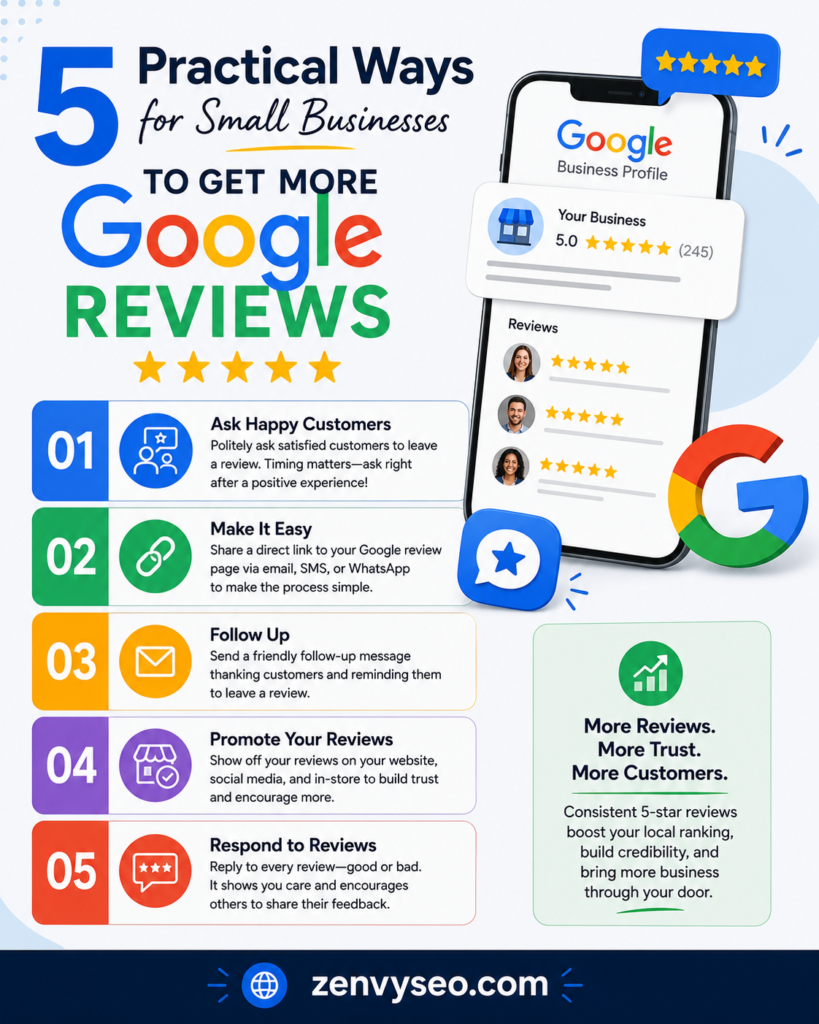
Here are five practical, proven strategies you can start using this week.
1. Ask at the Right Moment — Not Just Any Moment
Timing is everything. The best time to ask for a review is immediately after a positive customer interaction — when the experience is still fresh and the customer is genuinely satisfied. This might be:
- Right after completing a service call or project
- At the end of a successful in-store visit
- Immediately following a product delivery or installation
- After resolving a customer issue effectively
Don’t wait a week. Don’t send a generic email blast. A quick, personal ask in the moment — “Would you mind leaving us a Google review? It really helps our small business.” — converts far better than any automated follow-up.
Pro tip: Train your front-line staff or field team to make the ask. A face-to-face request from a person the customer just had a great experience with is the most powerful trigger for action.
2. Make It Effortless With a Direct Review Link
The number one reason satisfied customers don’t leave reviews is friction. If they have to search for your business, find the reviews tab, and figure out how to leave feedback — most will give up.
Remove every obstacle by sharing a direct link to your Google review form.
Here’s how to get your review link:
- Sign in to your Google Business Profile
- Click “Ask for reviews” or find the “Share review form” option
- Copy the short link (it looks like g.page/r/…)
- Optionally, shorten it further with a tool like bit.ly for easier sharing
Once you have the link, deploy it everywhere:
- Email signature — every email you send becomes a passive review request
- Post-service SMS — a short text with a direct link and a friendly note
- Receipts and invoices — printed or digital
- QR codes — place them on business cards, packaging, or at your checkout counter
- Social media bios — Instagram, Facebook, LinkedIn
The easier you make it, the more reviews you’ll collect.
3. Follow Up via Email or Text — Personally
Automated review request emails work, but personalized ones work better. After completing a job or sale, send a short follow-up message within 24–48 hours. Keep it brief, genuine, and direct.
Example SMS:
“Hi [Name], thanks for choosing [Your Business]! If you had a great experience, we’d really appreciate a quick Google review: [your link]. It means a lot to a small business like ours.”
Example Email Subject Line: “Quick favour — would you leave us a review?”
A few guidelines to follow:
- Use the customer’s first name
- Reference the specific service or product they purchased
- Include one clear call-to-action with the direct link
- Don’t ask for a “positive” review — just ask for honest feedback
- Never offer incentives in exchange for reviews (this violates Google’s guidelines)
Text messages, in particular, tend to have very high open rates and work well for service businesses like plumbers, electricians, cleaners, and consultants.
4. Add a Google Reviews Page or Widget to Your Website
Your website is one of the most visited touchpoints in your customer journey — use it to drive reviews.
You can do this in two ways:
Option A: Embed a reviews widget — Several free and paid tools let you pull your Google reviews directly onto your site. This shows visitors real social proof while also reminding them to add their own.
Option B: Create a dedicated “Leave a Review” page — A simple landing page with a short message and a prominent button linking to your Google review form. Add it to your navigation, footer, and thank-you pages.
If you run an e-commerce store, consider adding a review prompt to your order confirmation or checkout completion page. This is one of the highest-converting placements because the customer just completed a purchase and is in a positive mindset.

5. Respond to Every Review — Good and Bad
This step is overlooked by most small business owners, but it’s one of the most impactful things you can do for your review strategy.
When you respond to reviews:
- Google takes notice. Research suggests that businesses responding to a high percentage of their reviews see measurable improvements in local rankings.
- New customers feel confident. Seeing that an owner engages with feedback signals that you care about your customers’ experience.
- You encourage more reviews. Customers who see responses are more likely to leave their own — knowing their voice will actually be heard.
For positive reviews: Thank the customer by name, mention something specific from their review, and invite them back.
For negative reviews: Stay calm and professional. Acknowledge the issue, apologize where appropriate, and offer to resolve it offline. Never argue. A well-handled negative review can actually build more trust than a string of five-star ratings.
More Quick Tips to Get Google Reviews
Already doing the above? Here are a few extra tactics to accelerate your review growth:
- Ask loyal customers directly — Long-term clients who’ve never left a review are a goldmine. A personal phone call or email asking for their feedback goes a long way.
- Share your wins on social media — Post a screenshot of a recent five-star review (with permission) and include a link for others to share their experience.
- Add a review CTA to your email newsletter — If you send regular updates to your list, include a standing invitation to leave a review.
- Use NFC cards or tap-to-review devices — Physical cards that customers tap with their phone, which instantly open your Google review page. Popular in retail, hospitality, and service businesses.
- Highlight reviews in your Google Business Profile posts — Posting regularly on your GBP keeps your profile active, which Google rewards with better visibility.
Conclusion
Google reviews aren’t just nice to have — for small businesses competing in local search, they’re essential. They influence where you rank, whether customers trust you, and ultimately whether they choose you over a competitor.
The businesses winning in local SEO right now are the ones that have made review generation a repeatable habit, not a one-time task. Start with the five strategies above, be consistent, and you’ll see results within weeks.
At ZenvySEO, we help small businesses build the kind of online presence that drives real, local growth — and it almost always starts with Google reviews.
Frequently Asked Questions
Can I ask customers to leave Google reviews?
Yes. Google allows and encourages businesses to ask customers for reviews, as long as you don’t offer incentives or instruct them to leave only positive feedback.
How many Google reviews do I need to rank higher locally?
There’s no fixed number, but businesses with 50+ reviews consistently outperform those with fewer in competitive local markets. Review recency matters too — aim for a steady, ongoing flow rather than a one-time burst.
Does responding to Google reviews help SEO?
Yes. Responding to reviews is a positive engagement signal that Google factors into your local ranking. It also improves your profile’s credibility with potential customers.
What should I do about fake or negative reviews?
You can flag reviews that violate Google’s policies for removal. For genuine negative reviews, respond professionally and try to resolve the issue offline. Never respond with hostility.
Can I use QR codes to get more Google reviews?
Absolutely. QR codes that link directly to your Google review form are one of the most effective offline tactics. Print them on receipts, business cards, or signage.