
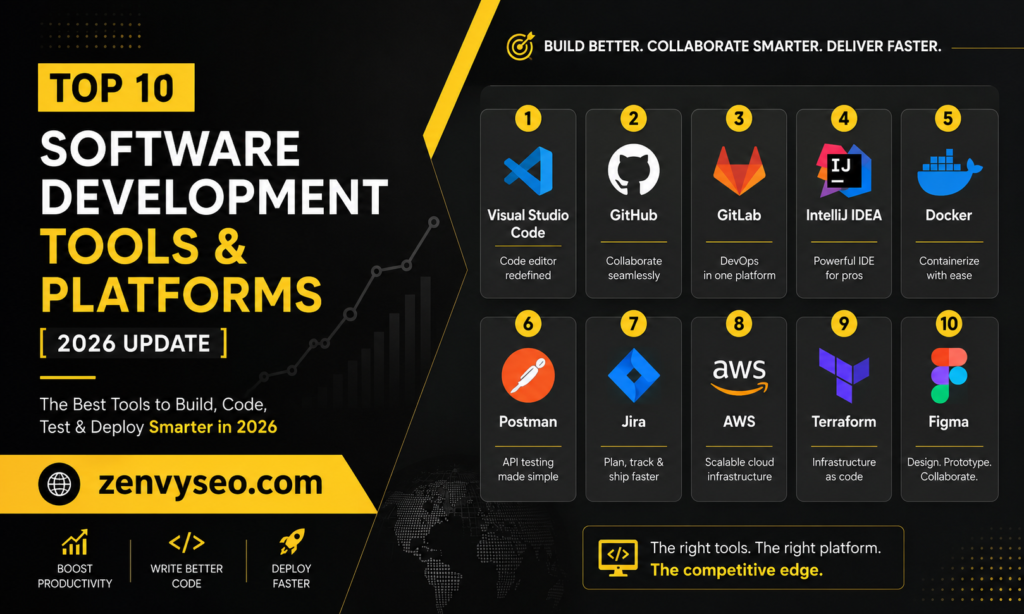
Every great product starts with the right software development tools. Whether you’re a solo developer building your first SaaS app or a CTO overseeing a team of 50 engineers, your toolstack directly shapes how fast you ship, how clean your code stays, and how well your team collaborates.
At ZenvySEO, we work with development agencies and tech brands daily — and we see firsthand how the right tools separate teams that scale from teams that stall.
In this guide, we’ve researched and compiled the top 10 software development tools and platforms that engineers, DevOps teams, and product builders are relying on in 2026. From AI-powered code assistants to container orchestration platforms, this is your definitive reference.
Defining Software Development Tools
Software development tools are applications, platforms, or utilities that help developers write, test, debug, version, and deploy code more efficiently. They cover the entire Software Development Life Cycle (SDLC) — from initial planning to production monitoring.
Also read Data Definition: What Is Data? Types & Importance
Modern software development tools can be grouped into several categories:
| Category | Examples | Primary Purpose |
| Code Editors / IDEs | VS Code, JetBrains | Writing and editing code |
| Version Control | GitHub, GitLab | Tracking code changes |
| Containerization | Docker, Kubernetes | Environment consistency and scaling |
| API Testing | Postman | Testing and documenting APIs |
| Backend-as-a-Service | Firebase | Database, auth, hosting |
| Project Management | Jira | Sprint planning, bug tracking |
| Team Communication | Slack, Microsoft Teams | Real-time collaboration |
The best software development tools don’t just automate tasks — they create a connected workflow where every phase of development flows into the next. That’s what this list focuses on.
Top 10 Software Development Tools & Platforms
1. Visual Studio Code (VS Code)
Best for: Developers across all languages and frameworks
VS Code has become the most downloaded code editor on the planet, and for good reason. Released by Microsoft and kept completely free and open-source, it supports everything from Python and JavaScript to Rust and Go. With over 185,000 GitHub stars, it’s not just popular — it’s trusted.
What makes VS Code stand out among software development tools is its ecosystem. The Extensions Marketplace gives you access to thousands of plugins: linters, debuggers, Git integrations, Docker support, and AI-powered assistants. The built-in IntelliSense engine provides real-time code completion, parameter hints, and error detection as you type — dramatically reducing the time spent switching between browser tabs and your editor.
In 2026, VS Code moved to weekly stable releases, adding features like an Agents window (for AI-driven autonomous task completion), bring-your-own-key model support, and remote agent sessions over SSH. If you write code and you’re not using VS Code, you’re working harder than you need to.
Key Features:
- Free and open-source (Windows, macOS, Linux)
- 50,000+ extensions in the marketplace
- Built-in Git and GitHub integration
- IntelliSense code completion
- Integrated terminal and debugger
Pricing: Free
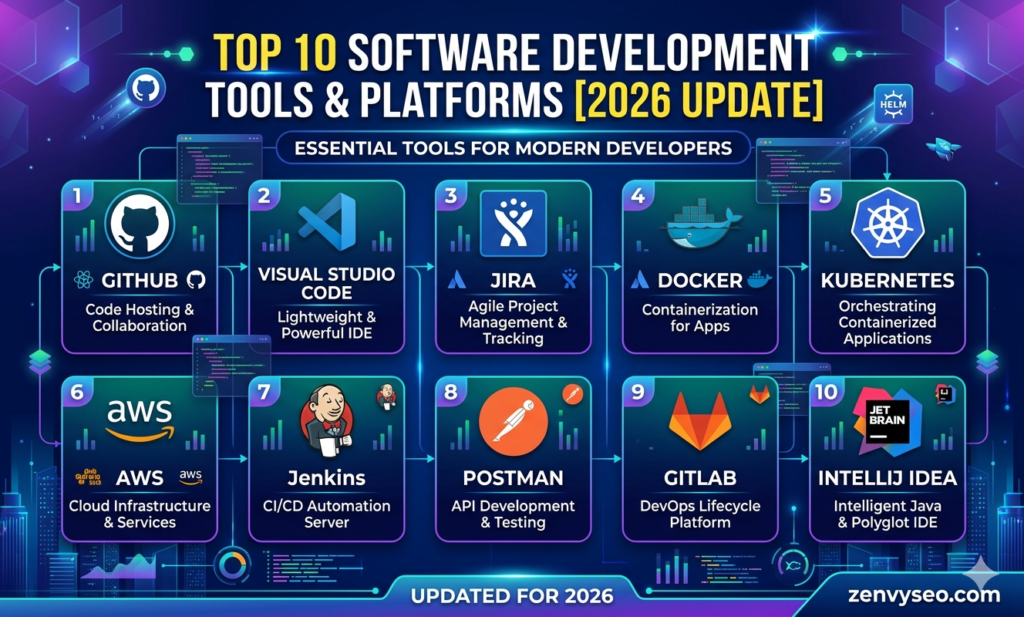
2. JetBrains IDEs (IntelliJ IDEA, PyCharm, WebStorm, etc.)
Best for: Professional developers who want deep language-specific intelligence
JetBrains builds purpose-built IDEs for specific languages rather than trying to do everything through plugins. IntelliJ IDEA is the gold standard for Java and Kotlin development. PyCharm is the go-to for Python engineers. WebStorm handles JavaScript and TypeScript with unmatched precision. These are not lightweight editors — they’re full-featured software development tools designed for enterprise-grade codebases.
The JetBrains suite shines in refactoring. You can rename a method across an entire codebase, extract interfaces, migrate database schemas, and detect code smells — all with a few keystrokes. The built-in code analysis catches bugs before they ever reach runtime.
In early 2026, JetBrains IDEs reached full parity with GitHub Copilot’s agentic features, including custom agents, sub-agents, and plan mode. For teams invested in a specific language ecosystem, JetBrains remains the most intelligent IDE option available.
Key Features:
- Language-specific IDEs (Java, Python, JS, PHP, Go, and more)
- Deep code refactoring and static analysis
- Integrated database tools and version control
- GitHub Copilot agent support (GA in 2026)
- Remote development via JetBrains Gateway
Pricing: Free (Community Edition) | From $16.90/month (All Products Pack)
3. GitHub + GitHub Copilot
Best for: Teams that want version control and AI-assisted coding in one ecosystem
GitHub is far more than a code repository in 2026. It’s become an end-to-end platform for planning, building, reviewing, and deploying software. With over 100 million developers on the platform, GitHub is the social layer of the software world.
GitHub Copilot, powered by large language models including Claude and GPT-5, has evolved from a simple autocomplete tool into a fully agentic coding assistant. It can now:
- Read multiple files simultaneously and propose cross-file edits
- Run terminal commands and fix its own build errors
- Convert a Jira issue into a draft pull request autonomously
- Search your workspace by meaning, not just text
- Continue working on complex sessions while you’re offline
Copilot integrates natively with VS Code, JetBrains, and most major IDEs, making it one of the most versatile software development tools in any modern stack. Its /chronicle feature (experimental) even lets you query your own chat history to recall what you worked on days or weeks ago — a genuine productivity unlock for large teams.
GitHub Actions, GitHub Pages, GitHub Packages, and the broader ecosystem make this a complete DevOps platform, not just a code host.
Key Features:
- Distributed version control with pull requests and code reviews
- GitHub Actions for CI/CD automation
- GitHub Copilot with agentic, autonomous coding capabilities
- Jira, Slack, Azure Boards integrations
- Security scanning and Dependabot alerts
Pricing: Free (public repos) | Copilot from $10/month
4. GitLab
Best for: Teams that want everything — SCM, CI/CD, security, and monitoring — in one platform
While GitHub excels at developer collaboration, GitLab positions itself as a true all-in-one DevOps platform. Instead of bolting together separate tools for planning, coding, testing, deploying, and monitoring, GitLab handles all of it natively.
This makes GitLab one of the most powerful software development tools for DevSecOps-oriented teams. Its built-in CI/CD pipelines include security scanning and vulnerability detection at every stage. Issue tracking connects directly to code commits and deployment metrics, giving you end-to-end traceability from business objective down to a single line of code.
For organizations in regulated industries (finance, healthcare, government), GitLab’s single data model and unified audit trail are often a compliance requirement, not just a preference.
Key Features:
- Built-in CI/CD with security scanning
- Unified work management (issues, epics, roadmaps, OKRs)
- Source code management + merge request workflows
- End-to-end traceability from planning to deployment
- Self-hosted or GitLab SaaS options
Pricing: Free (up to 5 users, 400 compute minutes) | Premium from $29/user/month
5. Docker
Best for: Development teams that need consistent, reproducible environments
“It works on my machine” is one of the oldest complaints in software development. Docker eliminates it. By packaging an application and all its dependencies into a container, Docker ensures your code behaves identically whether it’s running on a developer’s laptop, a QA server, or a production cloud instance.
Docker has become a foundational layer in modern software development tools stacks. Its container images are lightweight, fast to spin up, and version-controlled — meaning you can roll back an environment just as easily as you roll back code. Docker Compose lets you define and run multi-container applications with a single configuration file.
For teams adopting microservices, Docker is not optional — it’s the infrastructure backbone everything else runs on.
Key Features:
- Containerization for consistent environments across dev, QA, and production
- Docker Compose for multi-service application orchestration
- Docker Hub for sharing and distributing container images
- Lightweight alternative to full virtual machines
- Integrates with GitHub Actions, Jenkins, Kubernetes
Pricing: Free (Personal) | Docker Pro from $9/month
Also read Top 10 SEO Experts in London for 2026 | Proven Results & Expertise
6. Kubernetes
Best for: Teams deploying containerized applications at scale
If Docker is the container, Kubernetes is the container manager. Kubernetes (K8s) is an open-source orchestration platform that automates the deployment, scaling, and management of containerized applications across clusters of machines.
Where Docker handles individual containers, Kubernetes handles fleets. It automatically distributes workloads, scales services up or down based on traffic, replaces failed containers, and manages rolling updates with zero downtime. For engineering teams running production workloads on the cloud, Kubernetes has become one of the most critical software development tools in the infrastructure stack.
Managed Kubernetes services like Google Kubernetes Engine (GKE), Amazon EKS, and Azure AKS have significantly lowered the operational barrier — you don’t need a dedicated platform team to get started anymore.
Key Features:
- Automated container scheduling and load balancing
- Self-healing: restarts failed containers, replaces unresponsive nodes
- Horizontal scaling based on CPU/memory or custom metrics
- Rolling updates and rollback capabilities
- Strong ecosystem: Helm charts, Istio, Prometheus integrations
Pricing: Open-source (free) | Managed cloud K8s costs depend on provider
7. Postman
Best for: Backend developers and QA engineers testing and documenting APIs
APIs power virtually every modern application, and Postman has become the definitive tool for working with them. It started as a simple REST client and has grown into a comprehensive API platform covering the entire API lifecycle — design, testing, documentation, and monitoring.
Postman allows developers to send HTTP requests, inspect responses, set up automated test suites, and share API collections across a team. Its Environments feature makes it easy to switch between local, staging, and production configurations without manually editing URLs and tokens. Among software development tools focused on API workflows, nothing comes close to Postman’s combination of ease of use and depth.
The 2025–2026 versions introduced AI-generated test cases, inline API documentation, and mock server creation — further reducing the manual effort involved in API development.
Key Features:
- REST, GraphQL, gRPC, and WebSocket support
- Automated test collections with assertions and scripts
- Mock servers for frontend development without a live backend
- Team collaboration with shared workspaces
- API documentation auto-generated from collections
Pricing: Free (basic) | Professional from $19/user/month
8. Firebase
Best for: Mobile and web app developers who want a complete backend without managing servers
Firebase, owned by Google, is a Backend-as-a-Service (BaaS) platform that gives developers a real-time database, authentication, cloud storage, hosting, serverless functions, and analytics — all in one place. It’s become one of the most popular software development tools for startups and indie developers who need to move fast without a dedicated backend team.
The Realtime Database and Firestore are Firebase’s headline features. They sync data across clients instantly, making Firebase ideal for collaborative apps, chat applications, and live dashboards. Firebase Authentication supports email/password, social logins, and phone number verification out of the box.
In 2026, Firebase Studio expanded as a full cloud-based development environment, letting developers build and deploy full-stack apps entirely from a browser. For teams not yet ready to manage containerized infrastructure, Firebase remains a genuinely powerful alternative.
Key Features:
- Realtime Database and Cloud Firestore
- Firebase Authentication (20+ providers)
- Cloud Functions for serverless backend logic
- Firebase Hosting with global CDN
- Analytics, A/B Testing, and Crashlytics
Pricing: Free (Spark Plan) | Pay-as-you-go (Blaze Plan)
9. Jira
Best for: Software teams that use Agile or Scrum methodologies
Jira by Atlassian is the industry standard for tracking software development work. From sprint planning to bug tracking, from roadmaps to release management, Jira gives engineering teams a shared system of record that keeps everyone aligned.
Used by over 65,000 companies worldwide, Jira integrates directly with GitHub, GitLab, Bitbucket, and CI/CD pipelines. Developers can link commits, branches, and pull requests to Jira tickets automatically — so product managers always know where a feature stands without asking in Slack.
In early 2026, GitHub Copilot’s coding agent went into public preview for Jira, meaning you can now assign a Jira issue to GitHub Copilot and receive an AI-generated draft pull request in return. This tight integration between project management and AI coding makes Jira one of the most forward-looking software development tools on this list.
Key Features:
- Scrum and Kanban boards with customizable workflows
- Epic, story, and bug tracking with rich filtering
- Roadmaps for strategic planning
- GitHub Copilot integration (AI-driven PR generation from issues)
- 3,000+ integrations via the Atlassian Marketplace
Pricing: Free (up to 10 users) | Standard from $8.15/user/month
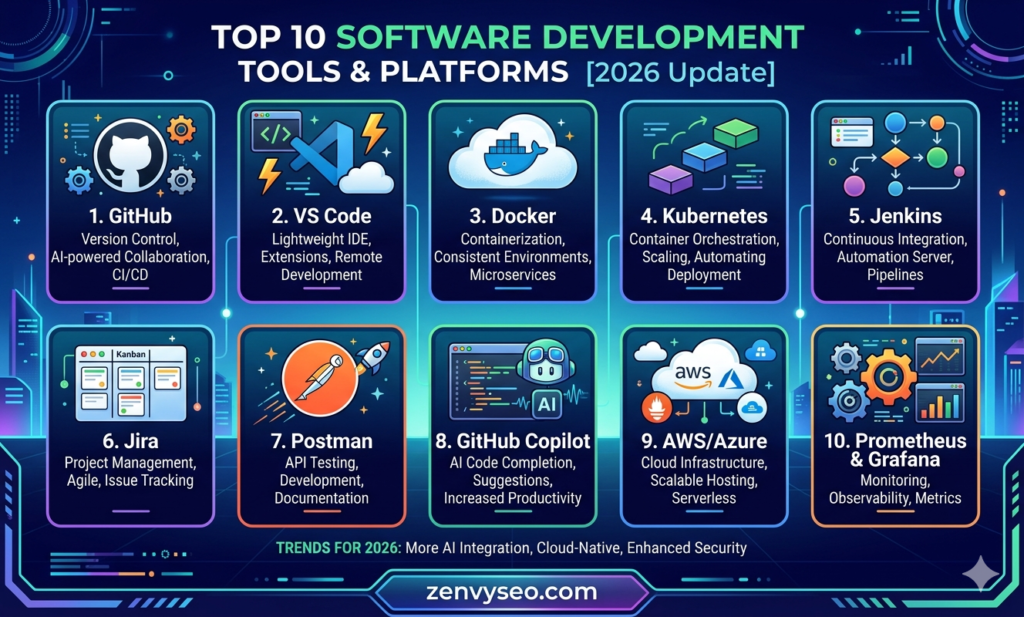
10. Slack / Microsoft Teams
Best for: Development teams that need fast, async, and structured communication
Code doesn’t write itself in isolation. Slack and Microsoft Teams have become essential software development tools not because they help you write code, but because they keep the humans behind the code connected, informed, and unblocked.
Slack’s developer-focused culture makes it the default choice for most tech companies. Dedicated channels for incidents, deployments, code reviews, and alerts bring signal out of email noise. Its integrations with GitHub, Jira, PagerDuty, Datadog, and Kubernetes mean that deployment alerts, PR notifications, and failed tests all surface directly in the channel where your team already lives.
Microsoft Teams is the dominant choice in enterprise environments, particularly those running on Azure and Microsoft 365. Its deep integration with Azure DevOps and GitHub Copilot for Business makes it a natural fit for Microsoft-stack teams.
Both platforms have added AI-powered conversation summaries, thread recaps, and meeting transcription — reducing the context-switching overhead that drains developer focus.
Key Features (Slack):
- Channels, threads, and direct messages
- Workflow automation via Slack Workflow Builder
- Native GitHub, Jira, PagerDuty integrations
- Huddles for quick voice/video calls
- AI-generated conversation summaries
Pricing (Slack): Free (limited history) | Pro from $8.75/user/month
Also read WordPress SEO Agency
Quick Comparison: Top 10 Software Development Tools at a Glance
| Tool | Category | Best For | Free Tier? | AI Features |
| VS Code | IDE / Code Editor | All developers | ✅ Yes | GitHub Copilot, agents |
| JetBrains IDEs | IDE | Language-specific pros | ✅ Community | Copilot, AI assistant |
| GitHub + Copilot | Version Control + AI | Teams & solodevs | ✅ Yes | Agentic coding, PR generation |
| GitLab | DevOps Platform | DevSecOps teams | ✅ Yes | AI code review |
| Docker | Containerization | Environment consistency | ✅ Personal | — |
| Kubernetes | Container Orchestration | Cloud-scale deployments | ✅ Open-source | — |
| Postman | API Testing | API developers & QA | ✅ Basic | AI test generation |
| Firebase | Backend-as-a-Service | Mobile/web app builders | ✅ Spark plan | Firebase Studio AI |
| Jira | Project Management | Agile / Scrum teams | ✅ Up to 10 users | Copilot Jira agent |
| Slack / MS Teams | Communication | All dev teams | ✅ Limited | AI summaries, recaps |
How to Choose the Right Tools
Picking software development tools isn’t just about popularity — it’s about fit. Here’s a practical framework used by the team at ZenvySEO when advising clients on their tech stacks:
1. Start with your team size and structure. A solo developer building a side project has different needs than a 20-person engineering team with a QA department. Lightweight tools like VS Code and Firebase can take you very far early on. Jira, Kubernetes, and GitLab become more valuable as complexity grows.
2. Match tools to your SDLC phase. Not every tool serves every phase equally. Planning → Jira. Coding → VS Code or JetBrains + GitHub Copilot. Version control → GitHub or GitLab. Testing → Postman. Deployment → Docker + Kubernetes. Communication → Slack or Teams. Map your workflow first, then fill the gaps.
3. Prioritize integration over feature count. The best software development tools are ones that talk to each other. A Jira ticket that links to a GitHub PR that triggers a GitHub Actions workflow that deploys via Docker to Kubernetes — that’s a connected pipeline. Isolated tools with no integration create manual overhead that slows teams down.
4. Consider your hosting and compliance requirements. Teams in regulated industries may require self-hosted solutions (GitLab self-managed), while startups benefit from SaaS versions that eliminate infrastructure overhead. Cloud-native platforms like Firebase are powerful but create vendor dependency worth acknowledging.
5. Factor in AI readiness. In 2026, AI-assisted coding is no longer optional — it’s a productivity multiplier. When choosing software development tools, evaluate their AI feature roadmap: GitHub Copilot’s agent capabilities, JetBrains AI assistant, and Postman’s AI test generation are all active differentiators now.
What Is Software Development? Types, Process and Partner Selection Guide
Software development is the process of designing, building, testing, and deploying software to solve specific problems or deliver specific value. It spans four major types: custom software development (built from scratch for specific needs), commercial off-the-shelf software (pre-built solutions), embedded systems development (software within hardware), and mobile application development. Choosing the right development partner means evaluating technical expertise, communication practices, post-launch support, and cultural fit.
Agile Methods in Software Development
Agile is an iterative approach to software development that delivers working software in short cycles called sprints (typically 1–4 weeks). Scrum and Kanban are the two most widely adopted Agile frameworks. Scrum uses defined roles (Product Owner, Scrum Master, Development Team), sprint planning, daily standups, and retrospectives to maintain momentum and continuous improvement.
Conclusion
The landscape of software development tools in 2026 is more capable — and more integrated — than ever before. AI has moved from a novelty feature to a genuine productivity layer. Containerization has become table stakes. And the best teams aren’t using the most tools — they’re using the right ones, connected intelligently.
At ZenvySEO, we help tech brands and software agencies build their digital presence with the same precision engineers apply to their codebases. Whether you need SEO strategy for your SaaS product, content that speaks to developers, or web visibility for your development agency, we understand the ecosystem you operate in.
Start with your core workflow, add software development tools that remove friction at each stage, and prioritize integration over feature bloat. The teams shipping the fastest in 2026 aren’t using magic — they’re just using the right stack.
Frequently Asked Questions
What are software development tools?
Software development tools are applications and platforms that help developers write, test, debug, deploy, and manage code throughout the Software Development Life Cycle (SDLC).
Which is the best free software development tool in 2026?
VS Code is widely considered the best free code editor, while GitHub (free tier), Docker (personal), and Firebase (Spark plan) also offer strong free options for individual developers and small teams.
Is GitHub Copilot worth it for developers?
Yes. In 2026, GitHub Copilot has evolved into a full agentic coding assistant that can autonomously generate pull requests, fix build errors, and handle multi-file edits — making it one of the highest-ROI software development tools available.
What software development tools do startups use?
Most startups rely on VS Code or JetBrains for coding, GitHub for version control, Firebase or Supabase for backend services, Docker for deployment, and Slack for communication — a lean but powerful stack.
What is the difference between Docker and Kubernetes?
Docker creates and runs individual containers. Kubernetes orchestrates and manages fleets of containers across multiple machines, handling scaling, load balancing, and failover automatically.
Also read How Much Does SEO Cost in the UK?