
Whether you’re a student building your first app or a seasoned programmer looking to level up, the best way to grow as a developer is to build real things. Tutorials and online courses lay a solid foundation, but nothing sharpens your skills like rolling up your sleeves and shipping an actual product. The challenge? Knowing where to start.
At ZenvySEO, we’ve put together a list of 12 hands-on project ideas designed for web and mobile developers at every skill level. These projects will not only push your technical limits but also give you portfolio pieces that recruiters and clients will actually notice. Let’s get into it.
What Makes a Developer Project Stand Out?
Not every project is portfolio-worthy. A simple to-do list might help you practice loops, but it won’t impress a hiring manager who has reviewed hundreds of similar submissions. So what separates a forgettable side project from one that opens doors?
Here’s what top-performing web and mobile developers consistently focus on:
| Factor | Why It Matters |
| Real-world problem | Shows product thinking, not just code ability |
| Clean, readable code | Signals professionalism and collaboration readiness |
| Good UX/UI | Proves you think beyond backend logic |
| Modern tech stack | Shows you’re keeping up with industry trends |
| Unique twist | Differentiates your work from generic clones |
| Documentation | Demonstrates communication skills |
A project that solves an actual problem — even a small one — is far more compelling than a technically perfect clone of something that already exists. Add a unique feature, write clean comments, and deploy it publicly, and you’ve got something worth talking about.
6 Web Development Project Ideas
Building web projects remains one of the most effective ways for web and mobile developers to demonstrate frontend, backend, and full-stack capabilities. These six ideas range from beginner-friendly starters to more advanced builds that push your architecture skills.
Also read Custom Mobile App Development: What You Need to Know
1. Personal Portfolio Website
Every web and mobile developer needs a digital home base. But there’s a big difference between a portfolio built on a template and one crafted from scratch with custom code. Your portfolio is often the first thing a recruiter or client sees — make it count.
Key features to include:
- Responsive design with a mobile-first approach
- Dark/light mode toggle
- Animated project gallery with live demo links
- A contact section with working email functionality
- Smooth scroll navigation and micro-interactions
Skills you’ll build: Semantic HTML, CSS animations, JavaScript DOM manipulation, responsive design, performance optimization.
Pro tip: Treat your portfolio as a living project. Update it every time you ship something new or learn a new skill. A stale portfolio sends the wrong signal.
2. Blog Platform or Simple CMS
Building a blog platform from scratch teaches you more about web architecture than almost any other project. You’re not just writing code — you’re designing a system. Think of it as peeking under the hood of platforms like WordPress or Ghost.
Key features to include:
- User authentication (login/logout, protected routes)
- Create, read, update, and delete (CRUD) operations for posts
- Rich text editor integration
- Category or tag filtering
- Comment system with basic moderation
Skills you’ll build: REST APIs, database schema design, authentication flows, server-side routing, form handling.
This is one of the most frequently recommended projects for web and mobile developers aiming to transition from frontend to full-stack roles.
3. E-Commerce Website
E-commerce projects are powerful portfolio pieces because they cover almost every core web development concept in one build — product listings, shopping carts, user sessions, payment integration, and responsive design.
Key features to include:
- Product listing and detail pages
- Shopping cart with persistent state
- User authentication and checkout flow
- Payment gateway integration (Stripe or PayPal sandbox)
- Order history and basic admin dashboard
Skills you’ll build: State management, session handling, third-party API integration, database relationships, mobile-first design.
Recommended tech stack for beginners: React + Node.js + MongoDB or a framework like Next.js with Prisma and a SQL database.
4. Real-Time Chat Application
Real-time functionality is one of the skills that separates mid-level from senior web and mobile developers. Building a chat app introduces you to WebSockets, event-driven architecture, and the challenges of managing live state across multiple users.
Key features to include:
- User registration and login
- Real-time message delivery using WebSockets or Socket.io
- Multiple chat rooms or direct messages
- Online/offline user status indicators
- Message timestamps and read receipts
Skills you’ll build: WebSocket protocol, event-driven programming, real-time data handling, user session management.
This project is especially valuable if you’re targeting roles that involve live dashboards, collaborative tools, or fintech applications.
5. Weather or Movie App (API Integration)
API integration is a core skill every web and mobile developer must master. A weather or movie app is the perfect vehicle for practicing it — the data sources are free, well-documented, and produce visually satisfying results.
For a Weather App:
- Fetch data from OpenWeatherMap or WeatherAPI
- Use the Geolocation API to auto-detect user location
- Display a 5-day forecast with icons and temperature ranges
- Add location-based tips (e.g., “Rain expected — bring an umbrella”)
For a Movie App:
- Use the TMDb (The Movie Database) API
- Build a search feature with filter by genre, year, and rating
- Add a “watchlist” feature with local storage or a backend
- Display cast info, trailers, and user ratings
Skills you’ll build: Async/await and fetch API, JSON data handling, dynamic UI updates, error handling for failed requests.
6. Task Manager / To-Do List App
Before you scroll past this one — a basic to-do list won’t impress anyone. But a fully featured task manager with user accounts, priority levels, drag-and-drop functionality, and productivity analytics? That’s a different story.
Key features to include:
- User authentication with personal task boards
- Task categorization, priority levels, and due dates
- Drag-and-drop task reordering
- Progress tracking and completion stats
- Email or push notification reminders (optional but impressive)
Skills you’ll build: Complex state management, UI interaction patterns, database integration, user-specific data handling.
The distinction matters for web and mobile developers: a polished, feature-rich version of a “simple” idea shows more maturity than a half-finished complex one.
Also read IT Support Services: What are they and How do they help?
6 Mobile Development Project Ideas
Mobile app development is about more than features — it’s about building experiences that fit into users’ daily routines. The best mobile apps become habits. Here are six project ideas that give web and mobile developers a real taste of that challenge.
1. Fitness Tracker App
Health and wellness apps consistently rank among the most downloaded categories in the App Store and Google Play. Building a fitness tracker teaches you how to work with device sensors, local data persistence, and user habit loops.
Key features to include:
- Daily workout logging with exercise types, sets, and reps
- Step counter using the device’s accelerometer
- Progress charts showing weekly and monthly trends
- Goal-setting and achievement badges for motivation
- Water intake and calorie tracking (optional)
Skills you’ll build: Device sensor APIs, local database management (SQLite/Room/Core Data), data visualization, push notifications.
Tech to explore: React Native, Flutter, or Swift/Kotlin for native builds.
2. Personal Finance App
Financial literacy apps have seen a surge in demand, particularly among 18–35 year olds. A personal finance tracker is a meaningful project for web and mobile developers because it involves sensitive data, complex logic, and a high bar for usability.
Key features to include:
- Income and expense logging by category
- Monthly budget limits with visual progress indicators
- Transaction history with search and filter
- Spending trend charts and insights
- CSV export or receipt photo capture
Skills you’ll build: Local data storage, data visualization, form design, category logic, secure data handling.
Challenge idea: Add a gamification layer — users earn “levels” for staying under budget each month. This kind of creative touch makes your project memorable.
3. Recipe or Meal Planner App
A recipe or meal planner app sits at the intersection of utility and creativity. It’s a project that web and mobile developers can personalize deeply, which makes it stand out in a portfolio.
Key features to include:
- Recipe search using a food API (Spoonacular is a popular choice)
- Ingredient-based filtering (what can I cook with what I have?)
- Weekly meal planner with drag-and-drop scheduling
- Grocery list generation from selected recipes
- Dietary preference filters (vegan, gluten-free, etc.)
Skills you’ll build: Third-party API integration, list management logic, local storage, responsive mobile UI.
4. Photo Editing App
A photo editing app pushes web and mobile developers to think like designers as well as engineers. It’s not a productivity tool — it’s a creative tool, and that shift in mindset is both challenging and rewarding.
Key features to include:
- Basic filters and color adjustments (brightness, contrast, saturation)
- Crop, rotate, and resize tools
- Text overlay with font and color options
- Before/after toggle to preview edits
- Save to camera roll and share functionality
Skills you’ll build: Image processing libraries, canvas/bitmap manipulation, gesture handling (pinch to zoom, swipe), performance optimization for media-heavy apps.
Libraries to explore: GPUImage (iOS), Glide (Android), or Expo Image Manipulator for React Native projects.
5. Movie Review or Book Review App
We all have opinions about what we watch and read. A review app teaches web and mobile developers how to build community-driven products, where user-generated content is the core value.
Key features to include:
- Search for movies or books via an external API (TMDb, Google Books)
- User ratings with a star system
- Written review submission and editing
- Comments and replies on other users’ reviews
- Recommendations based on past reviews (basic filtering logic)
Skills you’ll build: User-generated content management, comment threading, content moderation basics, API integration, trust and safety design.
This project introduces you to real-world challenges around community design — questions like “how do I handle spam reviews?” or “how do I weight a rating system fairly?” are exactly the kind of problems you’d face in a product role.
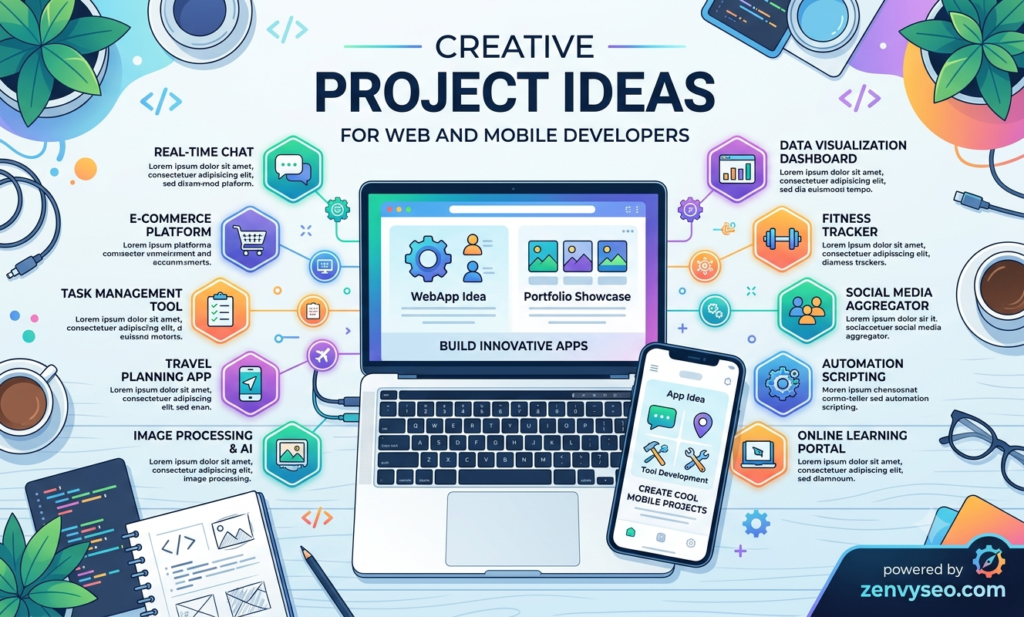
6. Mini Social Networking App
You don’t need to build the next Facebook to understand how social platforms work. A focused, niche social network — even one designed for book lovers, plant enthusiasts, or local hikers — teaches the core mechanics at a manageable scale.
Key features to include:
- User profiles with bios and profile photos
- Post creation (text, images, or both)
- Follow/unfollow system and personalized feed
- Likes and comments on posts
- Real-time notifications for interactions
Skills you’ll build: Feed algorithm basics, social graph data modeling, real-time updates, image upload and storage (Firebase Storage or AWS S3), user relationship management.
For web and mobile developers looking to break into social tech, consumer fintech, or any product where user interaction is central, this project is an excellent foundation.
Also read Top 10 Software Development Tools & Platforms [2026 Update]
Tips for Developers to Execute These Projects
Picking a project is the easy part. Finishing it — and finishing it well — is what separates developers who grow from those who stall. Here are practical tips at ZenvySEO recommends for every developer tackling a new build.
Introduction to Dynamic and Front-End Web Development
Before diving into any of the web projects above, make sure you’re comfortable with the building blocks of dynamic front-end development. This means understanding how JavaScript manipulates the DOM in real time, how events fire and propagate, and how modern frameworks like React or Vue abstract that process.
A strong grasp of front-end fundamentals will make every project on this list easier to execute. Don’t skip the basics in the rush to use a fancy framework.
What Is Web Development? Process, Technology, and Types
Web development broadly breaks into three categories that web and mobile developers need to understand:
- Front-end development — what users see and interact with (HTML, CSS, JavaScript, React, Vue)
- Back-end development — the server-side logic, databases, and APIs (Node.js, Python/Django, PHP, Ruby)
- Full-stack development — combining both, often using frameworks like Next.js, Nuxt, or Laravel
Understanding where your project fits helps you make better technology choices before you write a single line of code. Don’t build a backend-heavy system when a simple API call will do — and don’t skip the backend entirely if your app needs persistent, user-specific data.
Introduction to Dynamic and Front-End Web Development
When building mobile projects, think in terms of the user journey, not just the feature list. Every tap, every screen transition, and every loading state is part of the experience. Web and mobile developers who build with empathy for the end user produce apps that get used. Those who just think about features produce apps that get uninstalled.
Sketch your user flows before you open your IDE. Know exactly what happens when a user signs up, loses their password, or encounters an error. The more edge cases you plan for upfront, the less painful your debugging sessions will be later.
What Is Web Development? Process, Technology, and Types
Here’s a practical execution checklist for any project you tackle:
- Start with an MVP — build the smallest version that demonstrates the core idea
- Version control from day one — commit regularly on Git and push to GitHub
- Write a README — explain what the project does, how to run it, and what you learned
- Deploy it — Netlify, Vercel, and Railway make this free and fast
- Document edge cases — show that you thought beyond the happy path
- Gather feedback — share it with peers, mentors, or communities like Dev.to or Reddit’s r/webdev
Web and mobile developers who follow this process don’t just build projects — they build case studies. And case studies are what land interviews.
Conclusion
The gap between a developer who knows how to code and one who can build real products comes down to practice — deliberate, project-based practice. Every idea on this list gives web and mobile developers a chance to solve a genuine problem, learn something new, and come away with something worth showing off.
At ZenvySEO, we believe the best time to start building is now. Pick the project that excites you most, keep the scope tight, ship an MVP, and iterate from there. The developers who stand out aren’t always the most technically gifted — they’re the ones who consistently show their work.
Frequently Asked Questions
Which project is best for beginners among web and mobile developers?
A personal portfolio website or a basic weather app using a free API are great starting points — they’re achievable in a weekend and teach foundational skills.
Do I need to know both web and mobile development?
Not necessarily. You can specialize in one, but knowing the basics of both makes you more versatile and increases your options when job hunting.
What tech stack should web and mobile developers use in 2025?
For web: React or Next.js on the frontend, Node.js or Python on the backend. For mobile: Flutter or React Native for cross-platform, or Swift/Kotlin for native builds.
How many projects should I have in my portfolio?
Aim for 3–5 polished, well-documented projects rather than 10 half-finished ones. Quality beats quantity every time.
Should I build original projects or clone existing apps?
Both have value — clones teach you to replicate professional-grade UIs, while original projects show product thinking. A mix of both is ideal for a well-rounded portfolio.
Also read Data Definition: What Is Data? Types & Importance