
If you are serious about online success, you must learn how to improve website speed. A slow website kills traffic. It also damages your SEO rankings.
Today, users expect a fast loading website. If your site takes more than 3 seconds, people leave. That means lost visitors and lost money. This guide will help you understand website performance optimization step by step. You will learn simple methods to reduce page load time, improve technical SEO performance, and create a better user experience.
Why Website Speed Matters for SEO & Users
Website speed is not just a technical factor. It directly impacts your traffic, rankings, and revenue. Google uses core web vitals to measure performance. These signals decide how fast and stable your website feels to users.
Impact on User Experience
User experience depends heavily on website loading speed. A slow website frustrates users. They leave quickly. This increases bounce rate. A fast loading website improves engagement. Visitors stay longer. They explore more pages. If you want to improve user experience speed, focus on reducing delays. Even a 1-second improvement can make a big difference.
Effect on SEO Rankings
Google ranks fast websites higher. If your improve website speed score is low, your rankings drop. That’s why learning how to improve website speed for SEO is essential. Search engines analyze page rendering speed, server response time, and time to first byte (TTFB). Better performance means better visibility.
Conversion Rate Benefits
Speed directly affects conversions. A fast website builds trust. Users feel confident. When you reduce page load time, users are more likely to buy or sign up. Many businesses lose sales because they ignore backend performance and frontend optimization.
Must read this how-to-build-a-website-without-coding
Common Reasons Your Website is Slow
Before fixing speed, you must know why website is slow. There are many technical and non-technical reasons behind slow performance.
Large Image Sizes
Images are the biggest issue. Uncompressed images increase load time. You must always optimize images for web. Large files slow down page rendering speed and affect core web vitals.
Poor Hosting Performance
Your hosting plays a major role. Cheap hosting leads to slow server response time. This increases time to first byte (TTFB). If your hosting is weak, your website cannot become a fast loading website.
Too Many Plugins
Plugins add extra load. Too many plugins slow down your site. This is common when people try to speed up wordpress website but end up installing unnecessary tools. Keep only essential plugins.
Unoptimized Code (CSS, JS, HTML)
Messy code increases loading time. You must minify CSS and JavaScript. Remove unused code. This improves frontend optimization and reduces load time.
- Why Website Speed Matters for SEO & Users
- Common Reasons Your Website is Slow
- How to Test Your Website Speed
- Best Ways to Improve Website Speed
- Mobile Speed Optimization Tips
- Advanced Website Speed Optimization Techniques
- Comparison Table: Website Speed Optimization Methods
- Conclusion
- Frequently Asked Questions (FAQs)
How to Test Your Website Speed
You cannot improve what you don’t measure. Use website speed test tools to analyze your performance.
Using Google PageSpeed Insights
This is a free tool by Google. It shows your website speed score and suggestions. It also measures core web vitals. Use it to understand how to how to fix slow website performance issues.
Using GTmetrix
GTmetrix provides detailed reports. It shows loading time, page size, and requests. It helps you find ways to reduce HTTP requests.
Understanding Core Web Vitals
Core Web Vitals include:
- Largest Contentful Paint (LCP)
- First Input Delay (FID)
- Cumulative Layout Shift (CLS)
Improving these helps you improve core web vitals step by step.
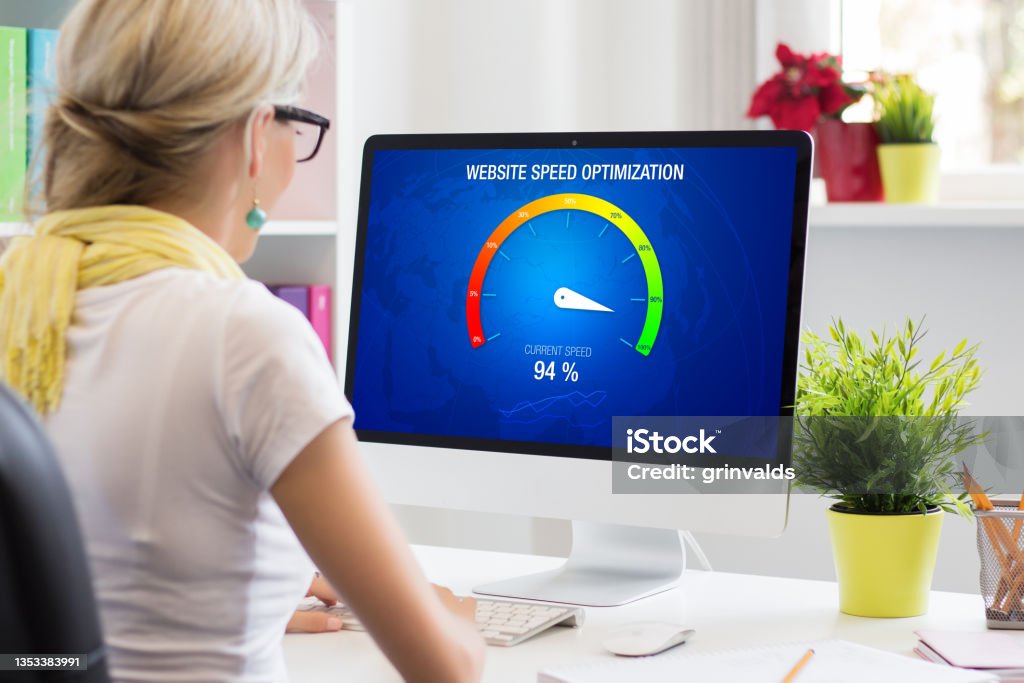
Best Ways to Improve Website Speed
Now let’s explore practical solutions for how to improve website speed.
Optimize Images (Compress & Resize)
Images must be compressed. Use modern formats like WebP. This helps reduce page load time. Always optimize images for web to improve performance.
Enable Browser Caching
Caching stores files locally. This reduces load time for returning visitors. Always enable browser caching for better speed.
Use a Content Delivery Network (CDN)
A CDN distributes your content globally. It reduces distance between user and server. Choose the best CDN for website to improve speed.
Minify CSS, JavaScript, and HTML
Remove unnecessary spaces and code. Always minify CSS and JavaScript. This improves page rendering speed.
Reduce Server Response Time
Server speed matters. Upgrade hosting if needed. Improve backend performance to reduce delays.
Mobile Speed Optimization Tips
Mobile users are increasing every day. You must improve mobile site speed to stay competitive.
Use Responsive Design
Responsive design adjusts to all screens. It ensures a smooth experience. It also helps in how to Improve website speed on mobile.
Optimize for Core Web Vitals
Mobile performance depends on core web vitals. Optimize images and scripts. Reduce delays to improve experience.
Reduce Mobile Popups
Too many popups slow down mobile sites. They also annoy users. Keep your interface clean and simple.
Advanced Website Speed Optimization Techniques
Once you understand the basics, you should move to advanced strategies. These methods help you build a truly fast loading website.
Advanced optimization improves both frontend optimization and backend performance. It also helps you achieve better core web vitals and a higher website speed score. If you want long-term results, you must apply these techniques properly. These are also part of any website speed optimization checklist for beginners who want to scale performance.
Lazy Loading Images & Videos
Lazy loading is a powerful technique. It loads images and videos only when users scroll down. This reduces the initial load. It helps reduce page load time significantly. Instead of loading all content at once, only visible content loads first. This improves page rendering speed and user experience. Lazy loading also reduces server load. It improves overall website performance optimization. If your website has many images, this is a must-have feature. It is one of the best ways to make website faster without heavy effort.
Use Lightweight Themes
Your theme plays a big role in speed. Heavy themes include unnecessary features. These slow down your site. You should always use lightweight and optimized themes. A clean theme improves frontend optimization and reduces extra code. This is especially important if you want to speed up wordpress website. Many beginners install flashy themes. But these harm performance. Choose a theme that is simple, fast, and SEO-friendly. This helps improve technical SEO performance and user experience.
Database Optimization
Your database stores all your website data. Over time, it becomes messy. It includes unused data, revisions, and spam.mThis slows down your website.mYou should clean your database regularly. Remove unnecessary data. This improves backend performance and reduces server load. A clean database also improves server response time and time to first byte (TTFB). This is a key step in how to fix slow website performance issues.
Implement GZIP Compression
GZIP compression reduces file size. It compresses your website files before sending them to users. This reduces bandwidth usage. It helps pages load faster. GZIP improves website loading speed and reduces data transfer time. It is one of the easiest ways to reduce page load time. Most hosting providers support GZIP. You just need to enable it. This technique also improves page speed optimization and overall performance.
Tools to Monitor Website Performance
Optimization is not a one-time task. You must monitor your website regularly. This helps you maintain a fast loading website and avoid future issues. Using the right website speed test tools is essential.
Google PageSpeed Insights
This is one of the best free tools. It analyzes your website performance on mobile and desktop. It gives you a detailed website speed score. It also shows suggestions to improve core web vitals. You can use it to understand how to improve website speed step by step. It focuses on real user data and lab data. This makes it very useful for improving technical SEO performance.
GTmetrix
GTmetrix provides advanced analysis. It shows page size, load time, and performance issues. It helps you identify what is slowing down your site. You can use it to reduce HTTP requests and improve loading speed. GTmetrix also provides waterfall reports. These reports help you understand page rendering speed in detail. It is a powerful tool for developers and beginners alike.
Pingdom Tools
Pingdom is another reliable tool. It tests your website from different locations. This helps you understand global performance. It provides real-time insights and performance grades. Pingdom helps you track uptime and speed continuously. It is useful for maintaining long-term website performance optimization. It also helps improve technical SEO performance by identifying slow elements.

Comparison Table: Website Speed Optimization Methods
| Method | Benefit | Difficulty | Impact |
| Image Optimization | Reduces load time | Easy | High |
| CDN Usage | Faster global access | Medium | High |
| Minification | Cleaner code | Medium | Medium |
| Caching | Faster repeat visits | Easy | High |
| GZIP Compression | Smaller files | Medium | High |
| Database Optimization | Better backend performance | Medium | Medium |
Conclusion
Improving website speed is not optional anymore. It is necessary for success. If you want better rankings and more traffic, you must learn how to improve website speed. Focus on simple steps first. Optimize images. Use caching. Choose better hosting. Then move to advanced techniques like CDN and lazy loading. Always monitor your performance. A fast website gives better user experience, higher rankings, and more conversions.
Learn how to improve website speed with simple steps. Boost SEO, reduce load time, and create a fast loading website in 2026.
Frequently Asked Questions (FAQs)
how can I improve my website speed?
You can improve speed by optimizing images, enabling caching, and using a CDN. Focus on reducing server response time and improving core web vitals.
what is a good website loading time?
A good loading time is under 3 seconds. Faster websites provide better user experience and higher conversions.
why is my website loading slow?
Your website may be slow due to large images, poor hosting, or unoptimized code. Identify issues using website speed test tools.
how to test website speed?
Use tools like PageSpeed Insights and GTmetrix. These tools show your performance and suggest improvements.
does website speed affect SEO?
Yes, website speed directly affects rankings. Google prefers fast websites with good core web vitals.
Must read this https://zenvyseo.com/how-to-create-website-for-beginners/
https://www.cloudflare.com/learning/performance/speed-up-a-website