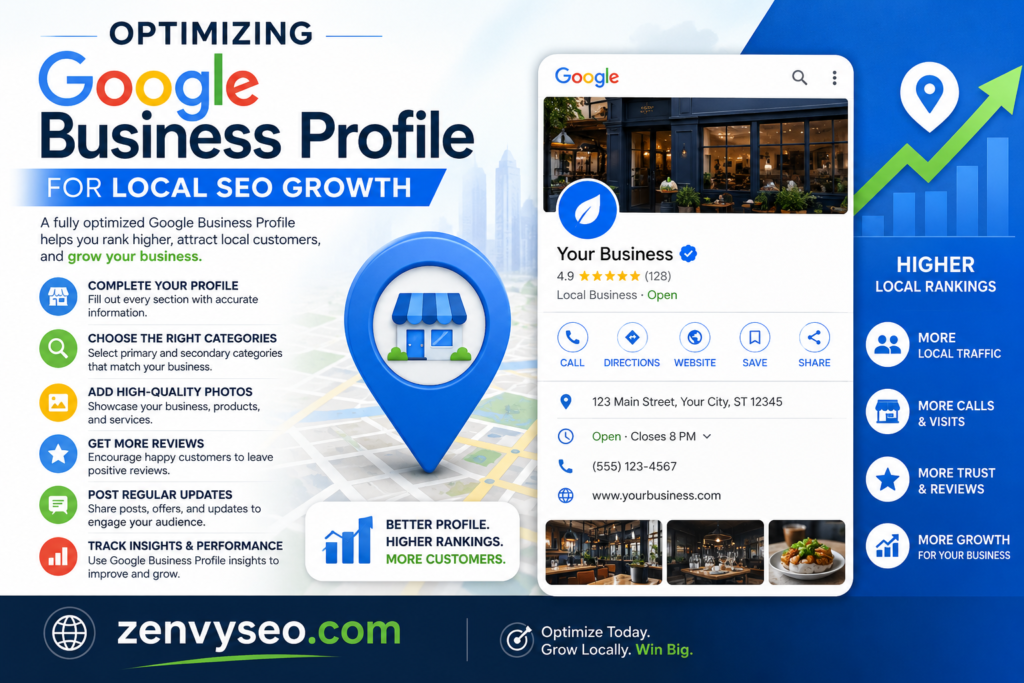
If you run a local business, showing up when nearby customers search for your services is no longer optional — it’s survival. Your Google Business Profile (GBP) is the single most powerful free tool you have to make that happen. A well-optimized profile puts your business in front of high-intent local searchers at exactly the right moment.
At ZenvySEO, we’ve helped dozens of local businesses go from invisible on Google to ranking in the top three local results. This guide walks you through everything — from the basics of local SEO to a practical optimization checklist — so you can start growing your local visibility today.
What is Local SEO?
Local SEO (Search Engine Optimization) is the process of improving your business’s visibility in geographically targeted search results. Unlike traditional SEO, which targets broad or national audiences, local SEO focuses on connecting you with people who are physically near you and actively searching for what you offer.
When someone types “coffee shop near me” or “plumber in Austin,” Google shows a set of local business listings — often called the Local Pack or Map Pack — before organic results. Local SEO is what gets you into that pack.
Key elements of a strong local SEO strategy include:
- An optimized and verified Google Business Profile
- Consistent Name, Address, and Phone number (NAP) across the web
- Local keyword targeting on your website
- Positive customer reviews
- Citations in reputable local and industry directories
What is Your Google Business Profile?
Your Google Business Profile (formerly Google My Business) is a free listing that controls how your business appears across Google Search and Google Maps. Think of it as your digital storefront — the first impression many potential customers will have of your brand.
A complete profile displays:
| Profile Element | What It Shows |
| Business name & category | Who you are and what you do |
| Address & service area | Where you’re located or operate |
| Phone number & website | How to contact or visit you |
| Hours of operation | When you’re available |
| Photos & videos | What your business looks and feels like |
| Customer reviews & ratings | Social proof of your quality |
| Posts & updates | Offers, events, and news |
An accurate, active, and complete GBP doesn’t just inform customers — it directly influences your local search rankings.
How to Create Your Google Business Profile
Setting up your profile is straightforward. Follow these steps:
- Go to business.google.com and sign in with a Google account (use a business email for easier management).
- Enter your business name. If it already exists in Google’s system, you may be asked to claim it.
- Select your business category. Choose the most accurate primary category — this heavily influences which searches your profile appears in.
- Add your location (if customers visit you) or set a service area (if you go to them).
- Enter your contact details — phone number, website URL, and business hours.
- Add photos — at minimum, a logo and a cover image. Profiles with photos receive significantly more clicks and direction requests.
- Verify your listing (see the next section for why this matters).
ZenvySEO Tip: Be thorough during setup. Every field you leave blank is a missed opportunity to tell Google exactly who you are and what you do.

Why Do You Need to Verify and Claim Your Google Business Profile?
Verification is not optional — it’s a critical step that unlocks the full power of your listing.
Without verification:
- You cannot edit your business information
- Competitors or random users can suggest incorrect changes
- Your profile may not rank in local results at all
After verification:
- You gain full control over your listing
- Google trusts the information you provide more
- Your profile becomes eligible to appear in local search results and Google Maps
Google offers several verification methods: postcard by mail (most common), phone or email (available for some businesses), and instant verification (if your website is already verified in Google Search Console).
Claiming an unclaimed or duplicate listing is equally important. An outdated listing with wrong hours or an old phone number can quietly cost you customers every single day.
How Does Google Rank Businesses for Local SEO?
Google uses three core factors to determine which businesses show up in local search results and the Local Pack:
1. Relevance
How well does your profile match what the searcher is looking for? Google reads every piece of text associated with your business — your category, description, services, and even your reviews — to determine relevance. If your GBP doesn’t clearly describe what you do, you won’t appear when locals search for it.
2. Proximity (Distance)
How physically close is your business to the searcher? Google strongly favors nearby businesses, especially for mobile and “near me” searches. A business two blocks away can outrank a larger, more established competitor across town simply because of physical distance.
3. Prominence
How well-known and trusted is your business — both online and in the real world? Prominence is built through:
- Volume and quality of Google reviews
- Consistency of NAP citations across directories
- Backlinks from local websites and news outlets
- Engagement signals (calls, clicks, direction requests)
Google blends all three signals. A business that is slightly farther away but far more prominent and relevant can still claim the top spot. This is why ongoing optimization matters.
Checklist for Google Business Profile
Use this checklist to ensure your profile is fully optimized. The more boxes you check, the stronger your local SEO presence will be.
Basic Information
- Business name matches your real-world branding exactly
- Address is correct and formatted consistently with your website
- Phone number is accurate and up to date
- Website URL is added and working
- Business hours are complete and reflect holiday hours
Profile Completeness
- Primary and secondary categories are chosen carefully
- Business description (750 characters) includes local keywords naturally
- Products and/or services are listed with descriptions and prices (where applicable)
- Attributes are filled in (e.g., “wheelchair accessible,” “free Wi-Fi”)
Visual Content
- Logo uploaded (helps customers recognize your brand)
- Cover photo is professional and represents your business
- At least 5–10 high-quality interior/exterior/team photos added
- Photos are geotagged where possible
Engagement & Trust
- Profile is verified by Google
- At least 10+ customer reviews are visible
- You respond to ALL reviews (positive and negative)
- Google Posts are published at least 1–2 times per month
Advanced
- Q&A section is monitored and answered proactively
- Messaging feature is enabled (if applicable)
- Profile insights are checked monthly to track performance
Additional Tips and Suggestions for Optimizing Your Local SEO
Your Google Business Profile is just one pillar of local SEO. These strategies work alongside your GBP to build a complete, competitive local presence.
Optimize Your Website for Mobile
More than 60% of local searches happen on mobile devices. If your website loads slowly or is hard to navigate on a smartphone, potential customers will bounce — and Google will notice. Ensure your site uses responsive design, loads in under three seconds, and has click-to-call buttons prominently placed.
Engage with Your Local Community
Local SEO is as much about offline reputation as online signals. Sponsor local events, collaborate with nearby businesses, or get featured in local news publications. These activities often generate local backlinks and brand mentions that strengthen your prominence in Google’s eyes.
Utilize Location-Based Keywords
Weave geo-targeted phrases naturally throughout your website copy, service pages, meta titles, and blog content. Instead of just “HVAC repair,” use “HVAC repair in [City Name]” or “emergency heating service near [Neighborhood].”
At ZenvySEO, we recommend building dedicated landing pages for each city or neighborhood you serve.
Sign Up for Other Business Directories
Google cross-references your business information across the web. Consistent NAP data in directories like Yelp, Bing Places, Apple Maps, Foursquare, and niche industry directories builds trust and improves your local authority. Inconsistencies — even minor ones like “St.” vs. “Street” — can quietly hurt your rankings.
Encourage Your Clients or Customers to Leave Reviews Whenever Possible
Reviews are one of the most powerful local ranking signals available to you. Ask satisfied customers in person, via follow-up email, or through a QR code at checkout. Make it easy by sharing a direct link to your Google review form.
Aim to respond to every review — this shows Google (and potential customers) that you’re active, engaged, and trustworthy.
Conclusion
Optimizing your Google Business Profile for local SEO is not a one-time task — it’s an ongoing process that pays compounding dividends.
Every photo you add, every review you respond to, and every update you publish sends a signal to Google that your business is active, trustworthy, and relevant to local searchers.
Start with the checklist above. Work through it systematically, and don’t overlook the smaller details. The businesses that dominate local search results aren’t always the biggest — they’re the most consistently optimized.
At ZenvySEO, we specialize in helping local businesses build the kind of digital presence that turns searches into customers. If you’d like a professional audit of your Google Business Profile or a full local SEO strategy, get in touch with our team today.
Frequently Asked Questions (FAQs)
How long does it take for Google Business Profile optimization to show results?
Most businesses begin seeing noticeable improvements in local visibility within 4–8 weeks of full optimization, though competitive markets may take a bit longer.
Is a Google Business Profile free?
Yes — Google Business Profile is completely free to create, manage, and update. You only pay if you run Google Ads through the platform.
What is the difference between the Local Pack and organic results?
The Local Pack shows the top three map-based business listings near the top of the search page, while organic results appear below and are driven by traditional website SEO factors.
Can I have a Google Business Profile if I don’t have a physical storefront?
Yes. Service-area businesses (like contractors or delivery services) can create a profile without displaying a public address by setting a service radius instead.
Does responding to Google reviews help SEO?
Yes. Responding to reviews signals to Google that your profile is actively managed, which contributes positively to your local prominence score.